
How to Spot Fake Microsoft, Norton, and McAfee Pop-Up Scams in Palm Beach Gardens
Palm Beach PC Services
Cybersecurity Expert
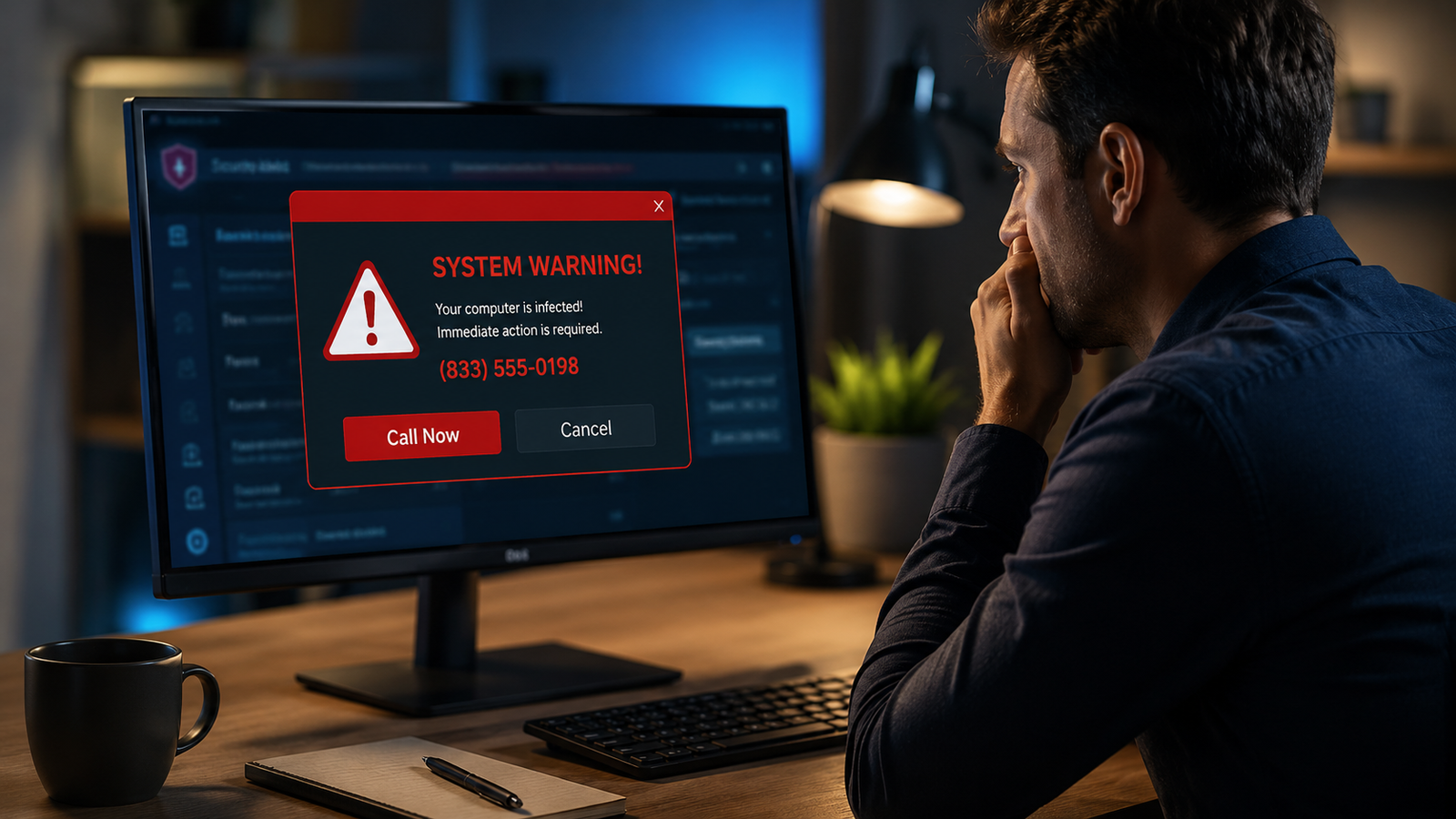
You are quietly browsing the web when suddenly, your screen turns red, a loud alarm sounds, and a pop-up appears claiming your computer is infected with a dangerous virus. It urges you to call Microsoft or Norton immediately to save your data. If this has happened to you, take a deep breath—you are not alone. Fake pop-up warnings are one of the most common computer scams affecting home users, seniors, and small businesses today. Let's break down how to spot them, what to do if you encounter one, and when to get professional help.
What Fake Pop-Up Scams Look Like
Scammers design these pop-ups to induce immediate panic. A typical fake warning may suddenly take over your entire screen, making it difficult to close your browser. It will loudly declare that your computer is infected, locked, hacked, or at severe risk. You might see flashing screens, dramatic countdown timers, fake system scans, and most importantly, an urgent phone number instructing you to call "Tech Support" immediately.
Why Scammers Use Names Like Microsoft, Norton, and McAfee
Cybercriminals know that if a pop-up says "Joe's Hacker Service," no one will call. Instead, scammers impersonate trusted brand names like Microsoft, Apple, Norton, McAfee, or even your bank to look official. They steal logos and replicate legitimate warning screens to trick you. Remember: real, legitimate tech companies will never lock your browser and demand you call a random toll-free number from a scary pop-up.
Red Flags That the Warning Is a Scam
Here are the undeniable red flags that you are dealing with a scam:
- A Phone Number is Shown: Legitimate operating systems and antivirus software do not put phone numbers inside threat warnings.
- Do Not Close Warning: The pop-up aggressively warns you not to close your browser or turn off your computer.
- Odd Payment Methods: They ask for payment via gift cards (Target, Apple, Google Play), wire transfers, payment apps (Zelle, CashApp), or cryptocurrency.
- Requesting Remote Access: The person on the phone demands immediate remote access to your computer to "fix" the non-existent problem.
- Creating Panic and Urgency: They claim your bank accounts or files are already stolen or that your network is destroying the internet.
What to Do If You See a Fake Virus Warning
If a fake virus warning appears on your screen, the golden rule is: stay calm and do not call the number. Do not click any additional buttons on the screen, and absolutely do not enter your passwords or banking details. Instead, try to close the browser using the "X" in the corner. If the screen is locked, use the Task Manager (Ctrl+Alt+Delete on Windows) to force-close your web browser, or simply hold down your computer's power button to force it to restart. In most cases, restarting the computer clears the immediate pop-up loop.
What to Do If You Already Called the Number
If you panicked and called the number, do not feel ashamed—these scams are highly sophisticated. However, if you gave the scammers remote access, shared passwords, paid them money, or entered banking information, you must act fast. Immediately disconnect your computer from the internet (unplug the cable or turn off your router). Contact your bank or credit card company immediately to report the fraud. Then, using a different, trusted device (like a smartphone), change your essential passwords. Finally, do not use the compromised computer until it has been professionally checked.
Can Remote Support Help Remove Pop-Ups and Scam Software?
Yes! If you avoided giving the scammers access, but your computer is still suffering from annoying pop-ups or browser hijackers, professional Remote Computer Support is a fantastic option. As long as your computer can turn on and connect to the internet safely, a trusted technician can remotely access your system, remove unwanted programs, clear out suspicious startup items, uninstall fake security software, and ensure your browser is clean.
When Onsite Support Is Better
While remote support is convenient, Computer Repair via an onsite visit is sometimes necessary. Onsite help is highly recommended if the scammer completely locked you out of your computer, if you are uncomfortable using remote tools, or if there are multiple compromised devices on your network. We also recommend onsite support if you are experiencing related Wi-Fi or router issues, or if you simply prefer the peace of mind of having an expert sit down with you in person.
How Palm Beach PC Services Helps Secure Your Computer
Whether you need rapid Virus & Malware Removal or comprehensive Business IT Support, Palm Beach PC Services is here to protect you. We specialize in scam pop-up cleanup, suspicious software removal, and browser sanitation. Beyond just cleaning the infection, we offer expert password and security guidance, thorough checks of your accounts via Email & Outlook Support, and reliable backup solutions using our Data Recovery expertise. Older adults targeted by these scams can also turn to our patient in-home computer help for clear, respectful guidance.
Palm Beach PC Services provides onsite computer repair in Palm Beach Gardens as well as nearby areas including North Palm Beach, Juno Beach, Riviera Beach, Singer Island, Palm Beach, Lake Park, West Palm Beach, Jupiter, Abacoa, Boca Raton, Delray Beach, Manalapan, Ocean Ridge, and Gulf Stream. Remote support is also available nationwide.
Frequently Asked Questions
Are Microsoft pop-up virus warnings real?
No, Microsoft, Norton, and McAfee will never display a scary, full-screen pop-up demanding you call a phone number. Real security alerts from your antivirus software will simply notify you that a threat was blocked, without asking for phone calls or payments.
Should I call the phone number shown in a virus warning?
Absolutely not. Calling the number connects you directly to the scammers, who will use high-pressure tactics to trick you into granting them remote access to your computer or paying for fake support services.
What should I do if I gave a scammer remote access?
Immediately disconnect your computer from the internet. Do not log into any bank accounts. Using a different device, change your essential passwords and contact your bank to monitor for fraud. Then, have a professional technician inspect and clean your computer.
Can fake pop-ups be removed remotely?
Yes. If your computer still turns on and connects to the internet safely, our technicians can securely connect to your machine, hunt down the malicious browser hijackers, and remove the fake pop-up software remotely.
How can I prevent fake security pop-ups from coming back?
Keeping your browser, operating system, and legitimate antivirus software updated is crucial. Additionally, installing a reputable ad-blocker and avoiding suspicious websites can drastically reduce the chances of encountering these pop-ups.
Protect Your Digital Life
If you see a fake Microsoft, Norton, McAfee, or virus warning on your computer, do not call the number on the screen. Call or text Palm Beach PC Services at 561-351-5858 or contact us online for onsite or remote computer support.