
Remote Computer Support Services: How We Help Clients Anywhere in the U.S.
Tech Support Team
Palm Beach PC Services
What Is Remote Computer Support?
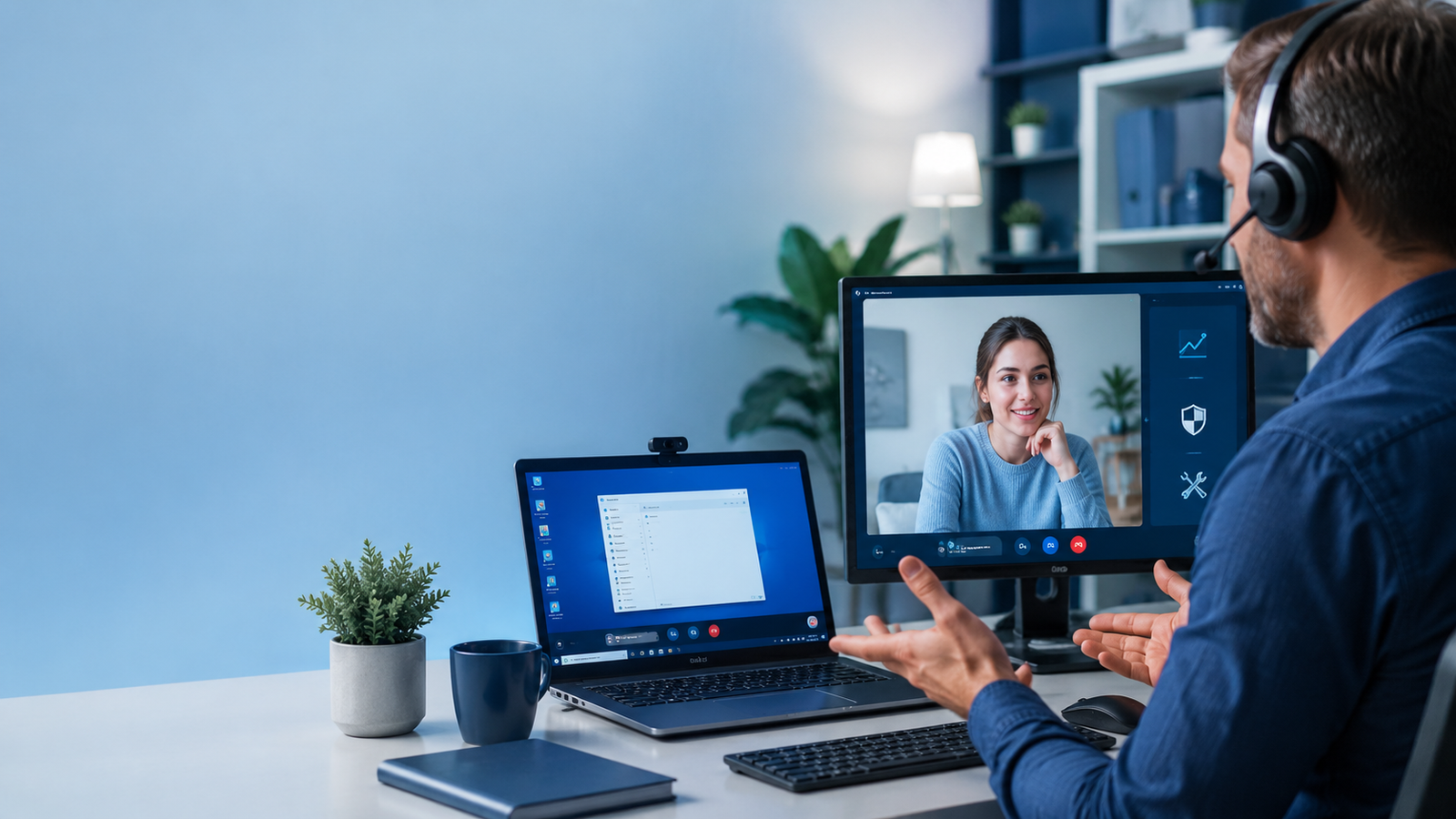
Technology has advanced rapidly, and the days of packing up your heavy computer tower to drop it off at a repair shop for days on end are largely over. Remote computer support is a modern, convenient service that allows a certified technician to securely connect to your computer over the internet. With your explicit permission, the technician can see your screen, control your mouse, and use your keyboard exactly as if they were sitting in the chair right next to you.
This technology enables us to diagnose the issue and help fix a vast array of software-related problems quickly and efficiently, entirely without an onsite visit. Whether you live locally or across the country, remote support bridges the distance, providing expert tech assistance directly into your home or office.
How Secure Remote Support Works
Security and privacy are the top priorities during any remote session. You might wonder, "Can a technician access my computer whenever they want?" The answer is a definitive no. Secure remote support is strictly permission-based. Here is how the process securely unfolds:
- The Request: You contact us describing your issue.
- The Connection: We direct you to a secure portal or provide a unique, one-time code to download a temporary connection tool.
- The Approval: You must click "Accept" or "Allow" to authorize the connection. The technician absolutely cannot connect without this explicit permission.
- The Transparency: During the session, you can see everything that is happening on the screen in real-time. You watch the mouse move and the windows open. You remain in control and can terminate the session at any moment by simply closing the connection window.
What Problems Can Be Fixed Remotely?
It is surprising just how much can be resolved over a remote connection. Our technicians frequently tackle email problems involving Outlook, Gmail, and Microsoft 365 syncing errors. We also help configure and troubleshoot OneDrive backups to keep your data safe.
Additionally, remote support is highly effective for browser issues, pesky pop-ups, virus and malware removal, and uninstalling unwanted programs that slow down your machine. We can fix complex software errors, manage confusing system updates, correct printer software and driver problems, perform slow computer cleanups, and handle a wide variety of basic troubleshooting tasks to get your PC or Mac running smoothly again.
What Usually Cannot Be Fixed Remotely?
While remote support is incredibly versatile, it does have physical limitations. Because the service relies on software and an active internet connection, it usually cannot fix "dead" computers that refuse to power on at all. Furthermore, hardware failures—such as a shattered screen, a burnt-out motherboard, or a severely physically damaged hard drive—require hands-on intervention.
Additionally, if you have absolutely no internet connection, or if there are physical cabling and infrastructure problems, we cannot connect to assist. Some intricate printer hardware jams and advanced data recovery cases involving failing drives also necessitate physical access to the machine.
Remote Support vs. Onsite Computer Repair
Understanding the differences between remote and onsite services helps you choose the most efficient path to resolution. Here is a clear comparison:
| Support Type | Best For | Limitations | Good Fit |
|---|---|---|---|
| Remote Support | Email, software, pop-ups, updates, settings, basic malware cleanup | Requires working internet and a computer that turns on | Home users, seniors, remote workers, and small businesses |
| Onsite Support | Wi-Fi, printers, hardware, multiple devices, router issues, physical setup | Requires a local visit | Homes and small offices in Palm Beach County |
| Both Options | Problems that need diagnosis first | Some issues start remote and move onsite if needed | Customers who want the fastest practical solution |
Common Remote Support Problems We Help With
Not sure if your specific computer headache can be handled over the internet? Review this list of frequent complaints and whether remote support is the right tool for the job.
| Problem | Can Remote Support Help? | Notes |
|---|---|---|
| Outlook or email not working | Yes | Good for account settings, password prompts, and sending/receiving issues |
| Pop-ups or scam warnings | Often | Remote help may remove browser hijackers and unwanted programs |
| Printer not printing | Sometimes | Software or driver problems may be remote; Wi-Fi or hardware issues may need onsite help |
| Slow computer | Often | Startup items, storage, updates, and software issues can often be reviewed remotely |
| External drive not showing up | Sometimes | Basic detection issues may be checked remotely, but physical failure needs hands-on help |
| Wi-Fi dead zones | Usually onsite | Router placement and coverage problems usually need onsite troubleshooting |
Is Remote Computer Support Safe?
Yes, absolutely. Remote support is incredibly safe when done through a trusted, verified technician. The connections utilize bank-level encryption, ensuring that no outside parties can intercept the data.
The key to safety is permission-based access. You are always in the driver's seat. Our software requires you to initiate the connection. The greatest danger in remote support does not come from the technology itself, but from bad actors. You remain safe when you avoid calling random pop-up phone numbers on your screen or granting access to unknown callers claiming to be from "Microsoft" or "Apple." Always rely on a reputable, local company like us.
When Remote Support Is Better
Remote support shines when speed is of the essence. It is often much faster for resolving simple software issues, setting up email accounts, fixing browser problems, tweaking system settings, and forcing stubborn Windows or Mac updates.
Furthermore, it is unequivocally better for customers who reside outside the local onsite service area, travel frequently, or simply prefer not to have a visitor in their home. We can connect and resolve the headache in the time it would normally take just to drive across town.
When Onsite Support Is Better
There are times when a virtual helping hand is simply not enough. Onsite help is better for diagnosing complete hardware failures, resolving Wi-Fi dead zones, executing complex physical printer setups, configuring new routers, and connecting multiple smart home devices.
Additionally, if you have a bulky desktop tower that needs internal components replaced, or cabling issues that require manual tracing, an onsite visit is necessary. It is also the perfect option for customers who value face-to-face instruction and prefer in-person help.
How Palm Beach PC Services Helps
At Palm Beach PC Services, we pride ourselves on delivering flexible, reliable technology solutions. We specialize in helping home users, seniors, remote workers, and small businesses navigate their daily tech frustrations. By offering highly secure remote support nationwide, we ensure our clients always have a trusted expert to call upon, no matter where they are located in the United States.
For our neighbors closer to home, we simultaneously offer premium onsite computer repair throughout Palm Beach County, bringing professional IT solutions directly to your doorstep.
Local Onsite Help in Palm Beach County + Remote Support Nationwide
Palm Beach PC Services provides onsite computer repair and tech support in Palm Beach Gardens as well as nearby areas including North Palm Beach, Juno Beach, Riviera Beach, Singer Island, Palm Beach, Lake Park, West Palm Beach, Jupiter, Abacoa, Boca Raton, Delray Beach, Manalapan, Ocean Ridge, and Gulf Stream. Remote support is also available nationwide.
Frequently Asked Questions
Is remote computer support safe?
Yes, remote computer support is safe when performed by a legitimate, trusted technician. Connections are highly encrypted, and we can only access your computer with your explicit permission for each session. You can see everything we are doing and disconnect at any time.
What computer problems can be fixed remotely?
A vast array of software issues can be resolved remotely. This includes slow computer performance, software errors, browser hijacking, pesky pop-ups, application installations, printer driver configuration, and organizing files. If it involves software and settings, we can usually help remotely.
Can remote support remove viruses or pop-ups?
Yes! In most cases, we can securely log in to your machine to run deep malware scans, isolate infected files, and safely remove fake security pop-ups or browser hijackers without deleting your personal photos or documents.
Can you fix Outlook, Gmail, or Microsoft 365 remotely?
Absolutely. Email troubleshooting is one of our most common remote requests. We can fix Outlook sync failures, correct server settings, resolve password prompts, and ensure your Microsoft 365 or Gmail accounts are functioning properly across your devices.
What if my computer will not connect to the internet?
If your computer has zero internet connectivity, a remote session is unfortunately not possible. The software requires a working web connection to establish the bridge between our technicians and your device. In these scenarios, an onsite visit is required.
Do you offer remote computer support outside Florida?
Yes. While our onsite repair services are limited to Palm Beach County, our highly secure remote computer support services are available to clients nationwide. We frequently assist remote workers, traveling seniors, and out-of-state small businesses.
Ready for Expert Tech Help?
Need secure remote computer support? Call or text Palm Beach PC Services at 561-351-5858 or contact us online for remote computer help nationwide or onsite support in Palm Beach County.