
What to Do If You Think Your Computer Has Been Hacked
Palm Beach PC Services
Tech Expert
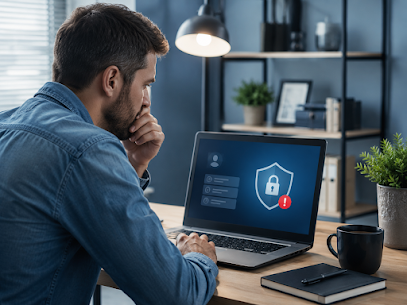
Realizing your computer has been compromised is a terrifying moment. Whether you clicked a suspicious link, downloaded a malicious file, or simply fell victim to a sophisticated attack, a hacked computer puts your personal identity, financial accounts, and irreplaceable data at immense risk. If you suspect a breach, absolute speed is essential. Every minute the hacker maintains access is a minute they can exploit your information.
Signs Your Computer May Have Been Hacked
Hackers don't always leave obvious calling cards. Sometimes they prefer to remain hidden to quietly siphon data. However, watch closely for these critical symptoms:
- Unusual Activity: Your mouse cursor moves on its own, applications open or close without your input, or your webcam light randomly turns on.
- Severe Slowdowns: Your internet speed crawls or the computer becomes agonizingly slow, indicating background processes are sending your data out or mining cryptocurrency.
- Unauthorized Access: You are suddenly locked out of your own computer, or friends report receiving bizarre spam emails sent directly from your account.
- Unexpected Pop-ups: Aggressive, fake "antivirus" warnings flood your screen demanding immediate payment.
- Strange Network Activity: Unfamiliar devices appear on your home network or your firewall alerts you to heavy outgoing traffic.
- Missing Files: Important documents vanish, or they are replaced with unopenable versions and a "ransom" text file.
Immediate Steps to Take If You Suspect a Hack
Do not panic, but do act immediately. Follow this triage checklist to stop the bleeding:
- Disconnect from the Internet IMMEDIATELY: Pull the ethernet cable out of the wall or physically turn off your Wi-Fi router. This instantly severs the hacker's remote connection to your machine.
- Do NOT Reboot Normally: If you must restart, boot the computer into Safe Mode. A normal reboot can sometimes trigger malicious software to embed itself deeper or finalize file encryption.
- Unplug External Drives: Immediately disconnect any backup USB drives or external hard drives to prevent ransomware from jumping over and encrypting your backups.
- Document the Evidence: Take photos of your screen with your smartphone if there are ransom demands or specific error codes. This helps professionals diagnose the attack later.
How to Secure Your Accounts and Passwords
While your computer is offline, you must assume the hacker captured your keystrokes and stole your saved passwords. Using a completely different, uncompromised device (like your smartphone or a friend's tablet), take these steps:
- Change the passwords to your most critical accounts first: Primary Email, Online Banking, and Password Managers.
- Enable Two-Factor Authentication (2FA) on every service that offers it.
- Contact your bank and credit card companies to freeze your accounts or alert them to monitor for fraudulent, out-of-character charges.
- Check your email settings for hidden "forwarding rules." Hackers often set rules to silently forward all your incoming mail to their own address.
Running Security Scans and Malware Removal
If you are tech-savvy enough to attempt cleaning the machine yourself, you must do so carefully:
Boot into Safe Mode without Networking. Run a deep, comprehensive scan using reputable antimalware software (like Malwarebytes or Windows Defender Offline). Let the software quarantine any found threats. However, be warned: sophisticated modern malware often hides deep within the registry or rootkits, making simple scans ineffective. If the scan finds nothing but the symptoms persist, the machine is still compromised.
When to Contact Professional Help
DIY virus removal is risky. You should absolutely contact professional computer repair experts if:
- Your files are encrypted by ransomware and you need help recovering data safely.
- You use the computer for business and handle sensitive client data (HIPAA, PCI compliance).
- The computer refuses to boot up or immediately crashes upon startup.
- You simply want the peace of mind knowing the infection is 100% eradicated by experts.
Prevention Tips for the Future
Once your system is sanitized, ensure you don't fall victim again:
- Keep your operating system and web browser aggressively updated.
- Never click links or open attachments in unsolicited emails, even if they appear to be from legitimate companies like FedEx or Amazon.
- Use a dedicated password manager to generate unique, complex passwords for every site.
- Maintain a strict, automated backup routine to an external drive that remains disconnected when not actively backing up.
Frequently Asked Questions
Can a hacked computer be fixed?
Yes, in almost all cases a hacked computer can be successfully cleaned and restored. While severe infections may require a complete operating system reinstall to ensure safety, your hardware is rarely permanently damaged by a hack.
How do I know for sure if my computer is hacked?
Look for undeniable red flags: unexpected mouse movement when you aren't touching it, mysterious new programs installed, ransomware demand screens, aggressive pop-ups, and disabled antivirus software that you cannot turn back on.
What should I do immediately if I suspect a hack?
The single most important step is to instantly disconnect the computer from the internet (turn off Wi-Fi or unplug the ethernet cable). This immediately cuts off the hacker's remote access and stops them from stealing more data.
Should I pay the ransom if my files are encrypted?
No. Law enforcement and cybersecurity experts strongly advise against paying ransoms. There is absolutely no guarantee the criminals will actually unlock your files, and paying them only funds future attacks.
Will my antivirus software remove the hacker?
Basic antivirus can catch common automated malware, but a skilled human hacker or advanced persistent threat (APT) can often disable your local antivirus. Professional, deep-level forensic scanning is recommended for severe breaches.
Secure Your Computer Today
If you suspect your computer has been hacked, don't risk your personal data by trying to fix it alone. Our expert technicians can thoroughly sanitize your system, remove deep-rooted malware, and secure your network.