
Laptop Repair in Palm Beach Gardens: 7 Signs Your Laptop Needs Professional Help
Palm Beach PC Services
Tech Expert
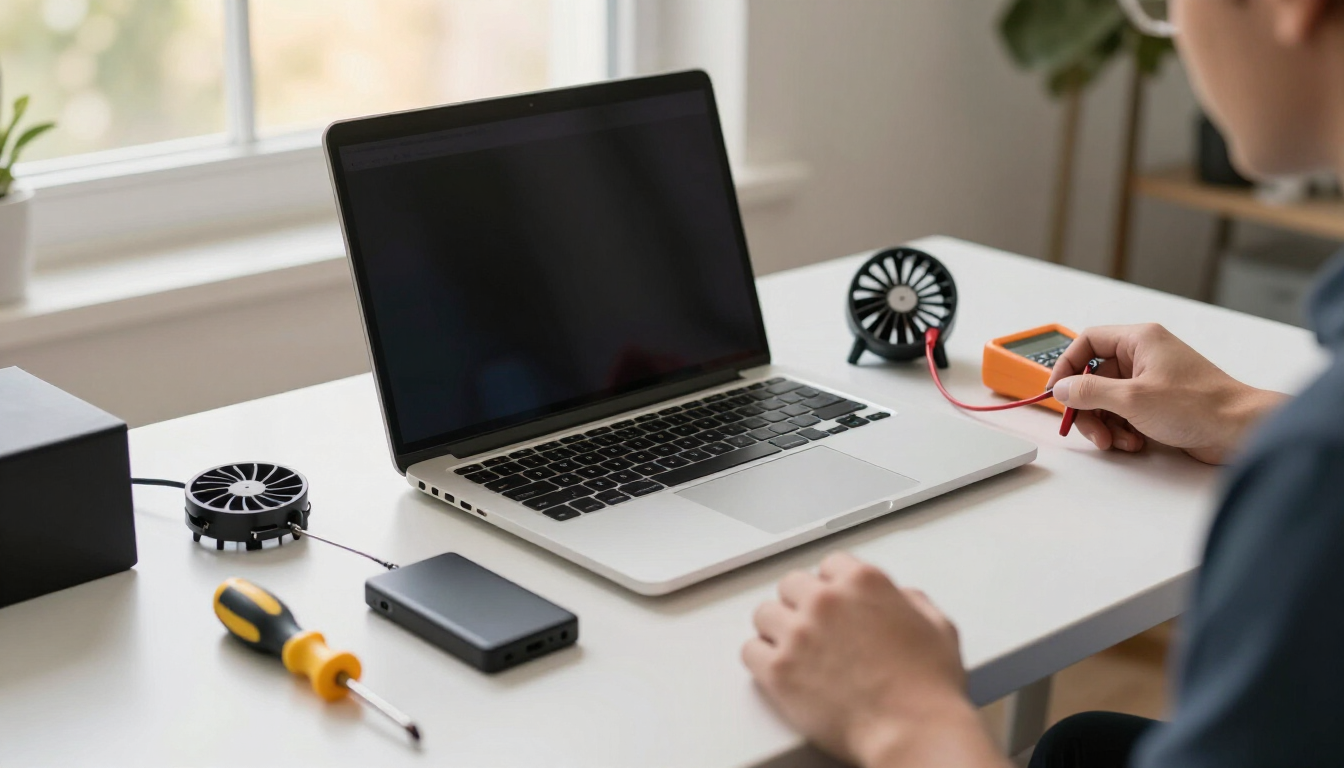
When a laptop starts acting up, the first question most people ask is whether they can fix it themselves, whether it needs professional repair, or whether it is finally time to replace it. After years of helping homeowners, seniors, remote workers, and small businesses around Palm Beach Gardens, I can tell you that the answer is almost never obvious until someone actually looks at it.
As a quick answer: repeated overheating, unexpected shutdowns, failure to start or charge, severe slowdown, Wi-Fi problems that keep coming back, persistent security warnings, and strange sounds or storage errors can all indicate a laptop needs professional diagnosis. Some of these, like software slowdowns or email problems, can often be handled remotely. Others, like a battery that will not charge, a failing cooling fan, a damaged charging port, or a storage drive that is on its way out, usually require hands-on inspection.
One thing I tell customers is not to assume that a slow laptop automatically needs to be replaced. A lot of laptops that feel "done" are really just choking on startup programs, a full storage drive, or aging hardware that a simple upgrade can revive. Diagnosis should always come before replacement. That means looking at the laptop's age, overall condition, estimated repair cost, battery health, storage health, whether a RAM or SSD upgrade is possible, operating-system compatibility, what you actually use the laptop for, and how much life a repair would realistically add.
This guide walks through the seven signs I see most often, a straightforward comparison table to help you decide between a safe first step and professional help, and honest guidance on when to repair, upgrade, or replace.
7 Signs Your Laptop May Need Professional Help
1Your laptop has become extremely slow
A gradual slowdown over years is normal. A sudden, dramatic drop in speed is not. When a laptop that used to open programs in seconds now takes minutes, the cause is usually one of a few things: too many programs launching at startup, a storage drive that is nearly full, not enough RAM for what you are running, malware working in the background, overheating that forces the processor to slow down, or simply aging hardware.
A proper restart (not just closing the lid), a check of free storage space, and a look at Task Manager to see what is eating memory are good first steps. If the laptop is still slow after a cleanup, the issue may be hardware. For a deeper look at the common causes and fixes, our article on why your computer is running slow in Palm Beach Gardens goes into more detail.
2Your laptop keeps overheating or shutting down
Laptops get warm, that is normal. But if the bottom is uncomfortably hot, the fan is screaming at full speed all the time, or the laptop suddenly shuts itself off, something is wrong. The usual culprits are dust blocking the airflow, a cooling fan that has stopped working, vents pressed into a couch or blanket, or a workload the laptop was never designed to handle.
Start by using the laptop on a hard, flat surface so air can move, and keep the vents clear. If it still overheats or shuts down, the cooling system likely needs attention. I do not recommend that inexperienced users try to disassemble a laptop to clean the fan, modern laptops are easy to damage with the wrong tools, and ribbon cables tear easily. This is a job for hands-on computer repair.
3Your laptop will not turn on or boot
"It won't turn on" can mean several different things, and the distinction matters. A laptop with no power at all, no lights, no fan, no sound, is a different problem from one that powers on but shows a blank screen, or one that starts but Windows never loads, or one caught in a restart loop. Each points to a different cause, whether that is the charger, the battery, the display, the motherboard, or the storage drive.
Try a different charger and a different wall outlet first, and listen for any lights or sounds when you press the power button. If there is still no response, or if the laptop keeps restarting in a loop, it needs diagnosis. Importantly, do not assume your files are automatically lost. In most cases the data on the storage drive is still intact even when the laptop will not boot. Our data recovery service can often retrieve files from a laptop that will not start.
4The battery will not charge or drains quickly
Battery problems show up in a few ways: the laptop only works plugged in, the battery percentage jumps around, it dies within minutes off the charger, or it simply will not charge at all. The cause could be a worn-out battery, a faulty charger, a damaged charging port, aggressive power settings, or background applications burning through power.
Try another charger if you have one, and check whether the charging connector feels loose or wobbly, which can point to a damaged port. If the battery is visibly swollen or the trackpad or keyboard is lifting, stop using the laptop and get it looked at right away, swollen batteries are a safety concern. Battery and charging-port replacement is hands-on work that should be done by a technician.
5Your laptop keeps losing Wi-Fi
Wi-Fi that drops constantly is frustrating, and the fix depends entirely on whether the problem is the laptop or the network. The quickest way to tell is to test other devices, phones, tablets, another computer, on the same Wi-Fi. If everything else stays connected and only the laptop drops, the issue is likely a driver problem, a failing Wi-Fi adapter, or a hardware fault. If every device struggles, the router or the internet connection is the real problem.
Restarting the router and the laptop, and checking for driver updates, are reasonable first steps. If the laptop's Wi-Fi adapter is not detected at all, or it only connects when sitting right next to the router, it may need hands-on attention. Our networking & Wi-Fi service covers both laptop-side and network-side problems.
6Pop-ups, security warnings, or unusual behavior
Not every security warning is real, and knowing the difference matters. A legitimate antivirus alert usually comes from software you recognize and installed yourself, and it will not demand that you call a phone number. Fake browser warnings, adware, and unwanted extensions, on the other hand, tend to be loud, threatening, and full of urgent instructions to call a toll-free number or pay for "support."
If you see a pop-up demanding payment or a phone call, do not call the number and do not give anyone remote access. Close the browser tab, and if the pop-ups keep coming back or your browser has been hijacked, it likely needs a proper cleanup. For more detail on telling real alerts from scams, see our article on how to spot fake Microsoft, Norton, and McAfee pop-up scams, and our guide to the signs your computer may have malware. For active infections, virus & malware removal handles the cleanup.
7Strange sounds or possible storage failure
If your laptop has an older mechanical hard drive (HDD), a clicking, grinding, or whining sound can be an early warning of drive failure. Newer laptops usually use solid-state drives (SSDs), which have no moving parts and are silent, so any unusual sound from an SSD-based laptop is more likely the fan. Either way, missing files, folders that will not open, scrambled filenames, or a laptop that freezes and then recovers are all signs to take seriously.
If you suspect storage failure, back up your important files immediately if the laptop still boots. Here is something I always emphasize: repeated restarts and heavy use can sometimes worsen a failing drive and make data recovery harder. If the laptop is clicking or will not boot, stop forcing it and get help. Our data recovery service is set up for exactly these situations.
Laptop Problem: DIY First Step or Professional Repair?
This table gives a quick, non-absolute guide to a safe first step and when to stop and get help. Every laptop is a little different, so use it as a starting point, not a final verdict.
| Laptop Problem | Possible Cause | Safe First Step | When to Get Professional Help |
|---|---|---|---|
| Very slow | Startup programs, full storage, low RAM, malware, or aging hardware | Restart properly, check free storage, review Task Manager | Still slow after cleanup, or suspected hardware limitation |
| Overheating | Dust buildup, failing fan, blocked vents, heavy workload | Use on a hard flat surface, keep vents clear, close heavy apps | Shuts down from heat, fan is loud or silent, smells hot |
| Won't turn on | No power, blank screen, boot failure, or storage problem | Try a different charger and outlet, check for lights or sounds | No response at all, or restart loops and repeated boot failures |
| Won't charge | Worn battery, faulty charger, or damaged charging port | Try another charger and wall outlet, inspect the connector | Holds no charge, loose port, or battery swells |
| Wi-Fi disconnecting | Driver issues, failing adapter, router problems, weak signal | Test other devices on the same network, restart the router | Only this laptop drops Wi-Fi, or adapter is not detected |
| Security warnings / pop-ups | Real antivirus alert, fake browser warning, adware, or malware | Do not call numbers in pop-ups, close the browser tab | Pop-ups persist, browser is hijacked, or accounts were accessed |
| Possible drive failure | Aging HDD, failing SSD, bad sectors, or physical damage | Back up important files immediately if it still boots | Clicking sounds, missing files, or laptop will not boot |
Should I Repair, Upgrade, or Replace My Laptop?
Once you know what is actually wrong, the decision gets much easier. There are three realistic paths: repair the existing problem, upgrade a component to extend the laptop's life, or replace the machine entirely.
Repair makes sense when the laptop is relatively recent, the problem is isolated, and the fix costs a fraction of a new machine. A single failed battery, a broken charging port, or a software issue on a three-year-old laptop is usually worth fixing.
Upgrade is the option people forget. An SSD or memory upgrade can take a sluggish laptop and make it feel new again, often for far less than the cost of replacing it. If the laptop is otherwise in good shape, has a working screen and keyboard, and can accept an upgrade, this is frequently the best value. Not every laptop can be upgraded, though. Many thin ultrabooks have memory and storage soldered to the board, so it is worth checking the specific model first.
Replacement becomes the better choice when the laptop is over seven or eight years old, cannot run a supported operating system safely, needs multiple major repairs, or the repair cost approaches the price of a new computer. For a fuller breakdown of that decision, our article on whether to repair or replace your computer walks through the cost and age factors in detail.
Can Laptop Problems Be Fixed Remotely?
A lot of laptop problems are software-based, and those can often be solved without anyone coming to your home. Remote help is a good fit for slowdowns, email and Microsoft 365 issues, OneDrive syncing problems, Windows configuration errors, printer software, and some security troubleshooting. If the laptop turns on and has an internet connection, remote computer support can usually sort these out quickly.
Hands-on service is generally better for anything physical or electrical: battery replacement, a damaged charging port, cooling fan and thermal issues, physical damage like a cracked screen or broken hinge, hardware replacement, a laptop that will not boot at all, and some storage failures. These problems cannot be fixed through a screen, and trying to work around them remotely usually just wastes time.
Laptop Repair for Seniors and Home Users
For seniors and home users, a laptop is often where the important things live: family photos, email, saved passwords, documents, and the connection to friends and family. When something goes wrong, the worry is rarely just about the machine. It is about whether the photos are safe, whether email will still work, whether passwords are still accessible, and whether everything will feel familiar again after a repair or replacement.
The priority is always to protect that data first. Before any major repair or replacement, important photos and documents should be backed up, email access confirmed, passwords made accessible, and printers and Wi-Fi noted so they can be set back up afterward. If replacement does become necessary, the goal is to move everything over carefully so the new laptop feels like home, not a stranger. For patient, respectful help with all of this, our guide to computer help for seniors in Palm Beach Gardens covers the common situations we handle.
Laptop Support for Remote Workers and Small Businesses
When a laptop is your livelihood, downtime is expensive. Remote workers and small businesses tend to rely on a stack of tools at once: email and Microsoft 365, QuickBooks or other business software, cloud files in OneDrive or Google Drive, video meetings on Zoom or Teams, printers, Wi-Fi, and sometimes a VPN to reach the office. A problem with any one of them can stop work cold.
The goal is to reduce unnecessary downtime by getting the right fix quickly. A software or email problem can often be handled remotely the same day. A hardware failure needs hands-on service, but a clear diagnosis keeps the wait short and avoids throwing money at the wrong repair. For ongoing reliability, business IT support helps keep office laptops, email, backups, and networks running so a single failure does not take down the whole workday.
Local Laptop Repair in Palm Beach Gardens
Palm Beach PC Services is based in Palm Beach Gardens and provides onsite computer support throughout Palm Beach County, including Jupiter, North Palm Beach, Juno Beach, West Palm Beach, and nearby communities. A Palm Beach Gardens home-office laptop problem often involves more than the laptop itself. Wi-Fi, printers, external monitors, cloud storage, and backup drives can all be part of the picture, which is why onsite troubleshooting is useful when the surrounding setup needs evaluation too. Remote support is also available nationwide for software problems that do not require hands-on service.
Frequently Asked Questions
How do I know if my laptop needs professional repair?
Repeated overheating, unexpected shutdowns, failure to start or charge, severe slowdown, Wi-Fi that keeps dropping, persistent security warnings, or strange clicking/grinding sounds are all signs a laptop may need professional diagnosis. If a simple restart and basic cleanup do not resolve the problem, or if the issue involves hardware like the battery, charging port, cooling fan, or storage drive, it is usually time to get help rather than keep guessing.
Is it worth repairing an older laptop?
It depends on the laptop's age, condition, and the cost of the repair. A machine that is only a few years old can often be brought back to life with a RAM or SSD upgrade for far less than the price of a new computer. If the laptop is over seven or eight years old, cannot run a supported operating system, or needs multiple major repairs, replacement may make more financial sense. Diagnosis should always come before the decision to replace.
Why is my laptop suddenly running so slowly?
A sudden slowdown is often caused by too many startup programs, a nearly full storage drive, insufficient RAM, malware running in the background, or overheating that forces the processor to slow itself down. Sometimes a Windows update or a runaway background process is the culprit. A proper restart, a check of free storage space, and a look at Task Manager are good first steps before assuming the hardware is failing.
Can a laptop that won't turn on still have its files recovered?
Yes, in most cases. A laptop that will not power on or boot usually still has intact data on its storage drive. The files can often be recovered by removing the drive and reading it with the right equipment, or by diagnosing the failed component. Do not assume your files are lost just because the screen stays black. Avoid repeatedly forcing restarts, as heavy use can sometimes worsen a failing drive.
Can laptop problems be fixed remotely?
Many software problems can be fixed remotely, including slowdowns, email and Microsoft 365 issues, OneDrive syncing, configuration problems, some Windows errors, and certain security troubleshooting. Hardware issues like a dead battery, broken charging port, failing cooling fan, physical damage, or a non-booting system generally require hands-on service. A technician can usually tell you which type of help you need after a quick conversation.
Can someone come to my home to help with my laptop in Palm Beach Gardens?
Yes. Palm Beach PC Services provides onsite laptop and computer support in Palm Beach Gardens and nearby Palm Beach County communities, including Jupiter, North Palm Beach, Juno Beach, and West Palm Beach. Onsite visits are useful when the problem involves Wi-Fi, printers, external monitors, backup drives, or the surrounding home office setup, not just the laptop itself.
Should I repair my laptop or buy a new one?
Compare the estimated repair cost against the value and remaining useful life of the laptop. A modest repair or an SSD/RAM upgrade on a relatively recent machine is usually worthwhile. If the repair cost approaches the price of a new laptop, or the machine can no longer run a supported operating system safely, replacement is often the better long-term choice. Get a diagnosis first so the decision is based on facts, not guesswork.
Can a slow laptop be upgraded with more RAM or an SSD?
Often, yes. Adding more RAM helps when the laptop struggles with many open tabs or heavy applications, and replacing an older mechanical hard drive with a solid-state drive (SSD) is one of the most dramatic speed improvements available. Not every laptop can be upgraded, some modern ultrabooks have soldered memory and storage, so it is worth checking the specific model before buying parts.
Not Sure Whether Your Laptop Needs Repair, an Upgrade, or Replacement?
Don't spend money on a new laptop or the wrong repair before you know what is actually wrong. Palm Beach PC Services can diagnose laptop problems first, then give you an honest recommendation. We provide onsite support in Palm Beach Gardens and nearby Palm Beach County communities, plus secure remote support for software problems that do not require hands-on service.
Call or text 561-351-5858